Know what needs attention
See incomplete registers, due responsibilities, reviews and follow-ups. Open the record behind the summary and act while it matters.

For school owners and leaders
From the first register to the next fee statement, give your team one clear place to work. Keep teachers organised, families connected and the next action visible.
Your curriculum. Your routines. Your choice of tools.
Already with ALCOLN? School & parent sign in →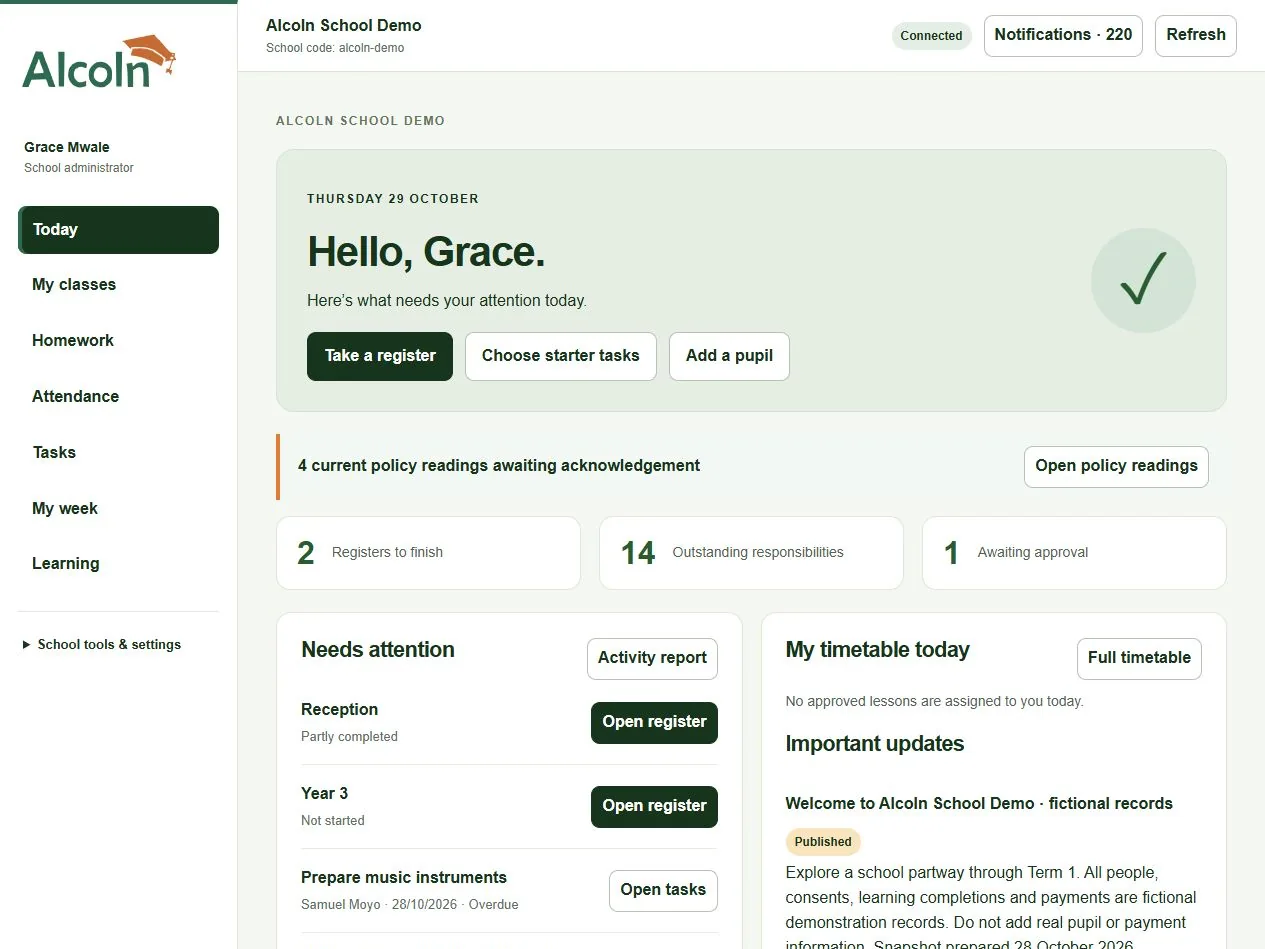
Meet ALCOLN in under three minutes
A short introduction to clearer teaching routines, family connection and school leadership. Watch on your phone or computer, then explore what would help your school most.
2:47 · English captions included · Press Play to watch with sound.
Having trouble playing? Open the smaller video directly, or read the transcript below.
It's the start of another school day. Teachers are welcoming pupils. Parents have questions. The office needs answers. And you want time to lead. What if the everyday details were easier to bring together? This is Alcoln: school management, family connection and staff learning in one workspace. Let's see what that can mean for your school.
Give teachers their register, timetable, homework and responsibilities in one place. Tick once for Present, with missing marks kept visible and saved changes confirmed. Coordinate class teachers, assistants and specialists across classes. For leaders, unfinished work has a clear next action. The same school connects through a phone, tablet or computer.
A parent can see the right information for one child or several through a verified account. Share school welcome information, arrange parent teacher consultations and collect trip consent. Contact and allergy updates follow school review. Connect preparation tasks, family decisions and useful reports, while keeping access appropriate to each person's responsibility.
Understand charges, recorded payments and pupil balances for tuition, trips, clubs and school purchases. Produce authorised reports for one pupil, a class or the school. Prepare the next term from subjects, teaching arrangements and routines you have already built. Review the changes before applying them, with earlier school records preserved.
Develop staff through Alcoln's own learning system: two hundred and sixty short courses, with lessons, knowledge checks and progress. Adapt forty written policy starters, review the saved wording and assign it for staff reading. Guided setup helps you start simply. Keep your curriculum and introduce more tools as your school is ready.
A clearer start for teachers. A useful connection for families. Better visibility for the people who lead. Begin with the school routine you most want to improve, then build from there. Arrange a demonstration focused on your school at Alcoln dot com, or email admin at Alcoln dot com. Your curriculum, your people, your school's next chapter.
Lead with a clearer picture
See incomplete registers, due responsibilities, reviews and follow-ups. Open the record behind the summary and act while it matters.
A class teacher, a visiting music teacher, an assistant and a fees officer need different tools. Assign the right responsibilities and permissions.
Reuse pupils, classes, subjects and staff. Preview next-term tasks, teaching arrangements and year-group moves before applying changes.
One connected school toolkit · six clear areas
See the full offer, then choose the tools your school needs. Keep each person’s day simple with access that fits their role.
Teaching & pupils
Keep classes, pupils, subjects, class teachers, specialists and assistants connected. Tick attendance once, share homework and use a validated timetable.
Explore teaching & pupils →School organisation
Start with ready-made checklists. Coordinate staff cover, the calendar, exam preparation, follow-ups and house teams with clear responsibilities.
Explore school organisation →Families
Verified parents see their own children, school information, homework and fees where included. Manage profile updates, trip consent and consultation bookings.
Explore families →Fees & school shop
Preview class fees or selected trip and club charges. Record payments, issue receipts, keep statements clear and manage school-shop stock.
Explore fees & school shop →Learning & policies
260 practical microcourses and 40 written policy starters. Review and adapt policies before assigning staff reading; record learning and acknowledgements.
Explore learning & policies →Leadership & reporting
Follow up missing registers, responsibilities and approvals. Build authorised reports and reuse your school’s records for the next term and academic year.
Explore leadership & reporting →A useful view for every person
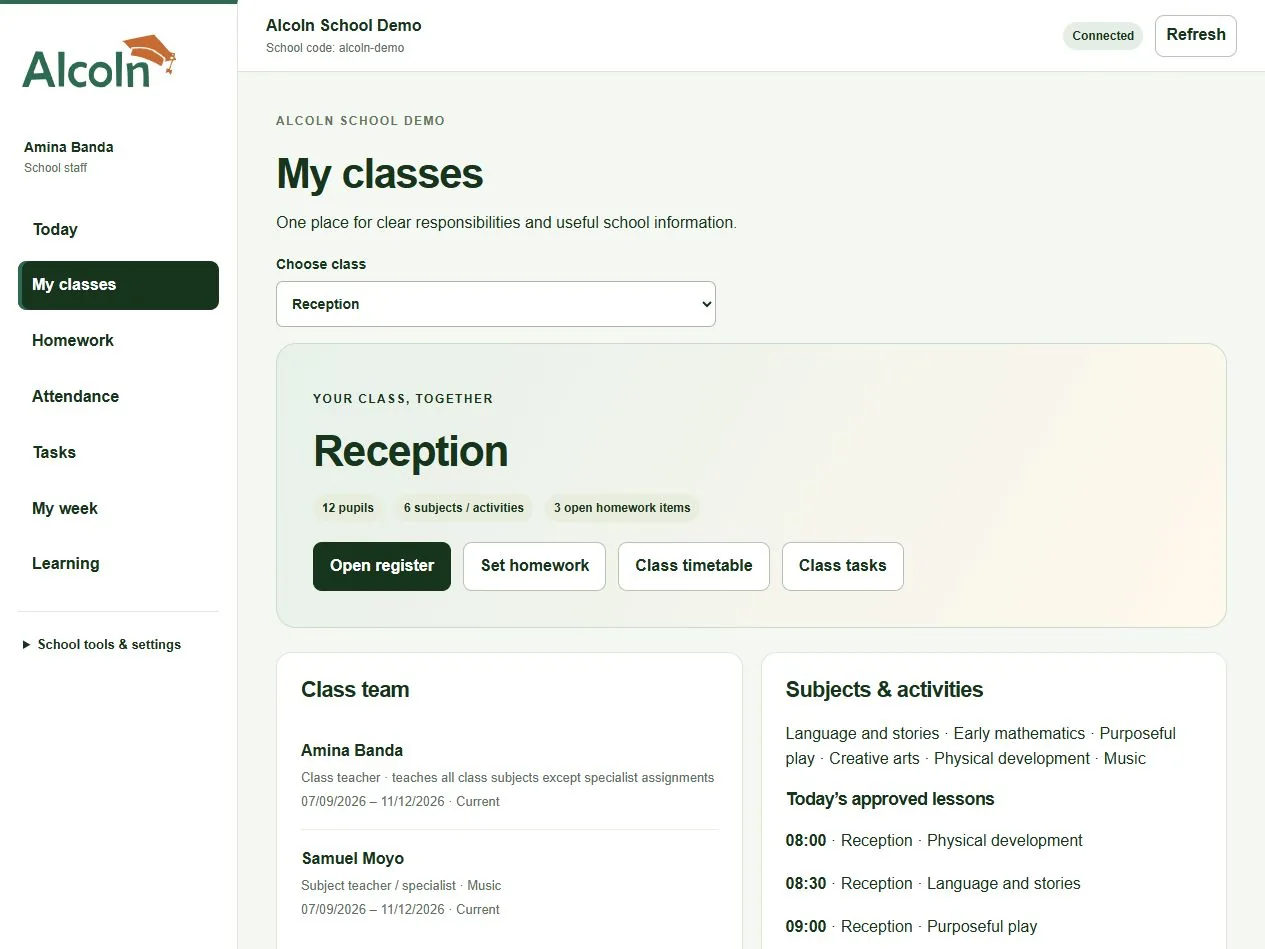
Open your class, tick the register, find your lessons and finish your responsibilities. Generalist teaching, subject specialists and assistants fit naturally.
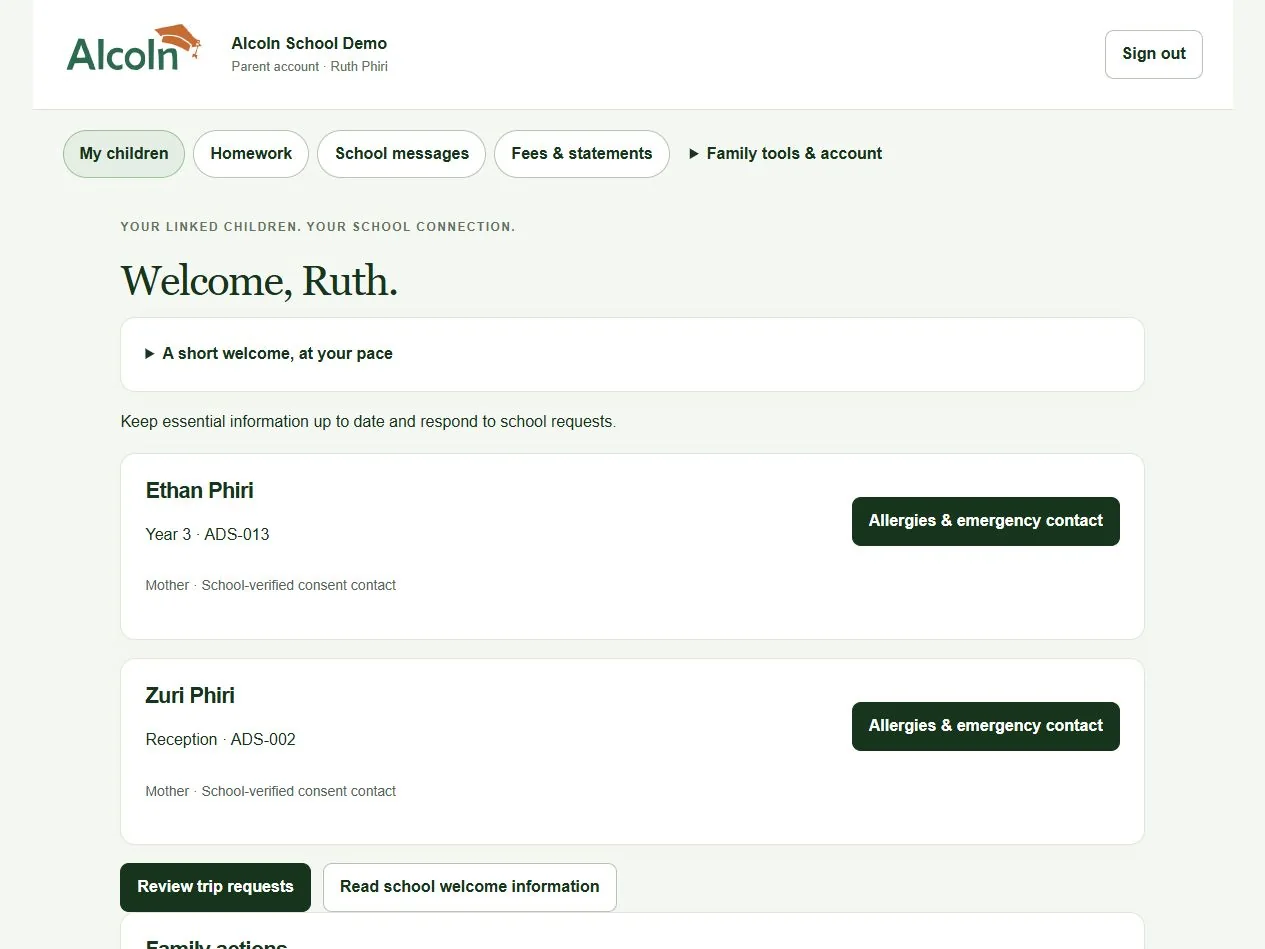
One verified account for linked children. Find school information, respond to trips, book a consultation and view fees where included.
Screenshots use fictional Alcoln School Demo records. Actual accounts enforce school, class, family and financial permissions on the server.
Start with a useful first win
Discuss a package or a custom selection. Confirm access, allowances, onboarding, price and support before starting.
Answer short setup questions, add or import staff and pupils, and tick the starter responsibilities you need. Preview before creating records.
Start with one class or one team, then introduce agreed tools at your pace. Keep saved history when you prepare the next term.
After initial online setup, authorised attendance and assigned tasks can use an optional encrypted, 24-hour offline working copy on a trusted device. Local changes remain pending until the server confirms them; conflicts need review. Approved timetables and downloaded announcements remain readable. Account changes, family information, fees, learning progress, reports and shared updates need a connection. Timetable generation runs in the browser; approval and sharing need a connection.
Use the responsive website on Android phones, tablets or computers. Install ALCOLN to the home screen where your browser supports it. Installation does not make every tool available offline.
Four ways to get started
No one-size-fits-all price. Agree the features, capacity and support your school needs.
Essentials
For schools starting with classroom routines and staff practice.
Price agreed with your school
Discuss Essentials →Connect
Everything in Essentials, plus a clearer school–home connection.
Price agreed with your school
Discuss Connect →Complete
Everything in Connect, with fees and school-shop records.
Price agreed with your school
Discuss Complete →Partner
Complete, with a separately agreed plan for hands-on support.
Price agreed with your school
Discuss Partner →School subscription arrangements are separate from the pupil fees your school records. Online payment collection is not connected. No purchase or subscription starts from this page.
Compare packages and how agreements work →The ALCOLN practice charter
Practical guidance and repeatable routines support four everyday commitments.
Membership and checklist ticks are not accreditation, government approval or proof of overall school quality.
Keep everyday information clear and up to date.
Make follow-up thoughtful, timely and respectful.
Help everyone understand what needs doing.
Make space for practical learning and reflection.
About ALCOLN
ALCOLN stands for Academy for Learning, Care, Organisation, Leadership and Nurture.
We’re starting with practical tools for preschools and private schools, with room to grow into wider learning, care, organisation and leadership services.
We are building for the everyday needs of schools across Africa, with flexible settings and respect for each school’s curriculum, context and ways of teaching.

Useful support for the work that matters.
Questions school leaders ask
Yes. The four packages are starting points. Ask for a custom combination; ALCOLN confirms supporting records, enabled tools, allowances, price and support in your agreement.
No. Keep your own subjects, activities, term names, teaching methods and assessment content. ALCOLN organises the work around them.
Yes. Add the required capability and class scope to that person’s own staff account. Delegated teachers cannot grant site-administrator access or bypass school boundaries.
Verified parent accounts show only linked children and authorised school information. School staff confirm relationships and consent authority; matching surnames alone never grant access.
Use the reviewed term/year rollover to reuse saved records. Changing feature access retains history; authorised administrators can request or deliberately export historical information.
Watch the short film, explore the full school film and guided tour, then request a walkthrough focused on your school’s priorities. Public courses and policy starters can be read before you enquire.
Request a school walkthrough. Tell us about your school’s routines, staff responsibilities and onboarding needs so we can arrange a useful demonstration. Tell us which package or individual tools interest you.
The school workspace and integrated ALCOLN LMS are available through guided onboarding. Explore all 260 microcourses and 40 policy starters publicly before you enquire. An enquiry does not create an account, enrol you on a course or commit you to a subscription.
Prefer email? This link opens your email application. Please do not send pupil records or sensitive personal information.
Your message is saved privately for ALCOLN to review. Please share only what we need to respond, and no pupil information.